Login Problems & Fixes
“Password required” or wrong password
Check Caps Lock and try again, or reset with Forgot Password.
Didn’t get the SMS code
Check your number starts with +92, wait one minute and tap send again.
Account locked
Contact 24/7 Customer Service or Telegram support with your account ID.
EP555 Login Methods Compared
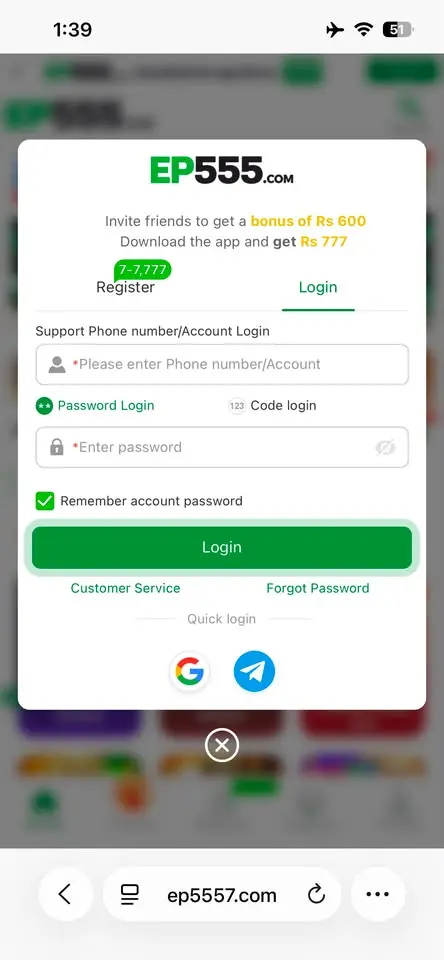
EP555 (also searched as EP 555 Game login) lets you sign in four ways. Always use the same method you chose when you registered.
| Method | What you need | Best for |
|---|
| Password login | +92 number or account name + password | Everyday login |
| Code login | +92 number + SMS code | When you forget your password |
| Google | Google account on your phone | Fast one-tap login |
| Telegram | Telegram app | Accounts created with Telegram |
Tip: if you signed up with Google or Telegram, log in with the same button. Typing a phone number will not find that account.
EP555 Login on App vs Browser
One EP555 account works in both the APK and a mobile browser. The app keeps you signed in and gives the Rs 777 app bonus, while the browser is handy when your phone is low on storage. Your balance, deposits and withdrawals are tied to your account, so you see the same wallet on either.
Quick Login Checklist
- If +92 is already shown, type your number without the first 0.
- Check that you are on the right tab: Password login or Code login.
- Type the password carefully (it is case-sensitive).
- Switch between Wi-Fi and mobile data if the page keeps loading.
- Update to the latest app from our EP555 APK download guide.
- Still stuck? Open Support and chat with 24/7 Customer Service.