Updated: November 15, 2026 · Written by Niko

EP555 Login & Register – Create Your Account in 1 Minute

Learn how to register on EP555 with your +92 mobile number, Google or Telegram, how to log in, reset your password and keep your account safe.

📱 +92 Number⚡ 1-Minute Sign Up🎁 Rs 7 – 7,777 Chest
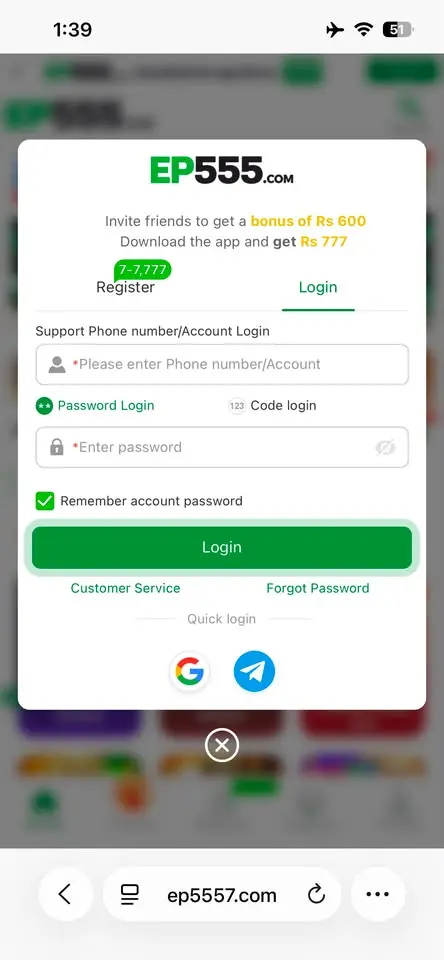
EP555 login page

How to Register on EP555

Open EP555

Open the EP555 app or tap the Download APK button on this page, then tap Register.

Enter your number

Enter your +92 phone number or an account name.

Choose a method

Pick Password registration or Code register (SMS code).

Set your password

Type a strong password and enter it again to confirm.

Confirm 18+ & register

Tick “I am over 18 years old and agree to the User Agreement” and tap the green Register button.

Quick sign up: you can also register in one tap with your Google or Telegram account using the buttons under “Binding registration”.

After Registration

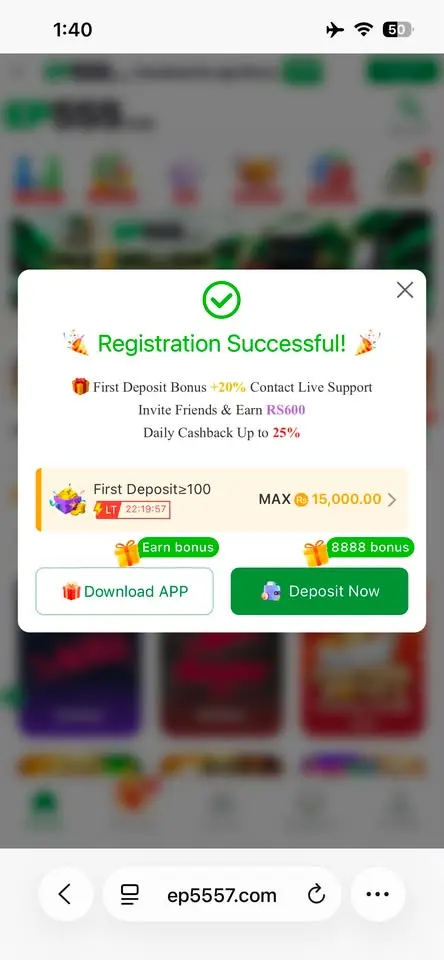
Once your account is ready you will see the Registration Successful screen with your first rewards:

  • First deposit bonus – deposit Rs 100 or more to start the welcome bonus (up to Rs 15,000)
  • Invite friends and earn Rs 600
  • Daily cashback up to 25%
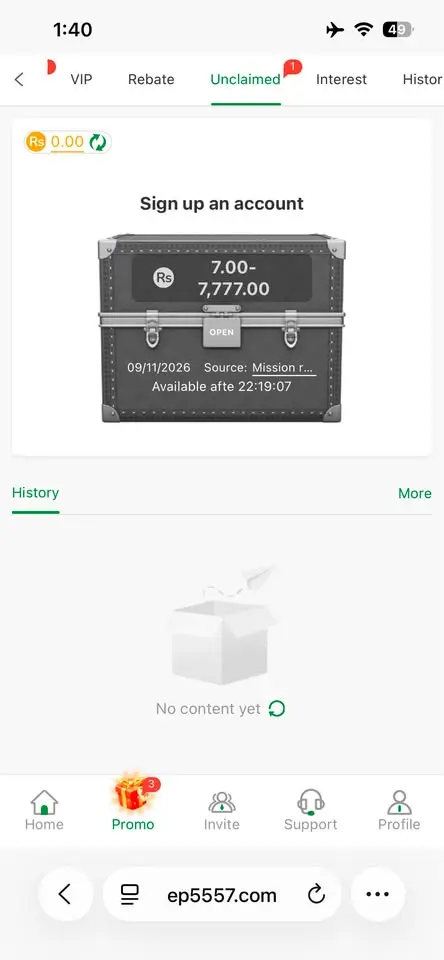
  • A sign-up treasure chest worth Rs 7 – 7,777 in Promo → Unclaimed
EP555 registration successful bonus
EP555 registration successful – first deposit bonus and rewards
EP555 sign up treasure chest Rs 7 to 7777
EP555 sign-up treasure chest Rs 7 – 7,777

How to Login to EP555

  1. Open EP555 and tap Login.
  2. Enter your phone number or account.
  3. Choose Password Login and type your password – or use Code login.
  4. Tick “Remember account password” if this is your own phone.
  5. Tap the green Login button.

You can also use Quick login with Google or Telegram.

EP555 login page
EP555 login page

Forgot Password?

Tap Forgot Password on the login screen and follow the steps with your phone number. If you still cannot log in, tap Customer Service – support is available 24/7.

Keep Your Account Safe

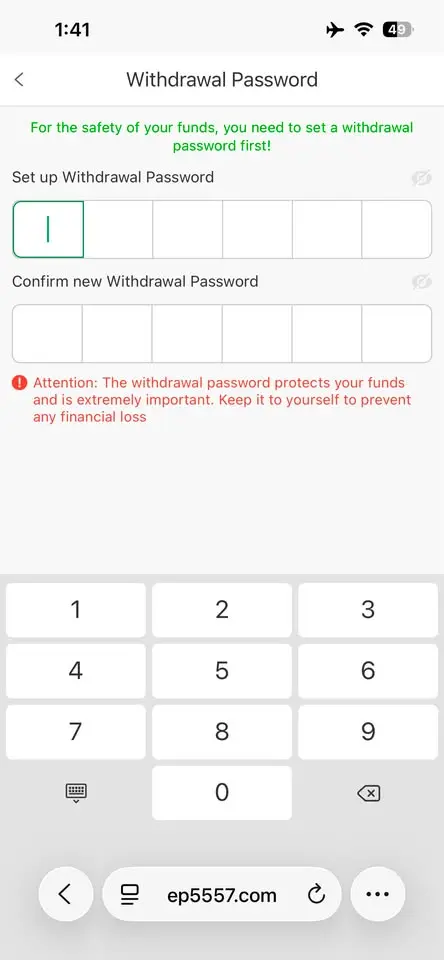
  • Set a 6-digit withdrawal password before your first cashout.
  • Open Security Center in Profile and complete the safety steps (it even shows a Rs 7 – 7,777 reward).
  • Never share your password, withdrawal password or SMS code with anyone – EP555 staff will never ask for them.
  • Use “Remember password” only on your own phone.
EP555 withdrawal password
EP555 set up 6-digit withdrawal password

Login Problems & Fixes

“Password required” or wrong password

Check Caps Lock and try again, or reset with Forgot Password.

Didn’t get the SMS code

Check your number starts with +92, wait one minute and tap send again.

Account locked

Contact 24/7 Customer Service or Telegram support with your account ID.

EP555 Login Methods Compared

EP555 (also searched as EP 555 Game login) lets you sign in four ways. Always use the same method you chose when you registered.

MethodWhat you needBest for
Password login+92 number or account name + passwordEveryday login
Code login+92 number + SMS codeWhen you forget your password
GoogleGoogle account on your phoneFast one-tap login
TelegramTelegram appAccounts created with Telegram

Tip: if you signed up with Google or Telegram, log in with the same button. Typing a phone number will not find that account.

EP555 Login on App vs Browser

One EP555 account works in both the APK and a mobile browser. The app keeps you signed in and gives the Rs 777 app bonus, while the browser is handy when your phone is low on storage. Your balance, deposits and withdrawals are tied to your account, so you see the same wallet on either.

Quick Login Checklist

  • If +92 is already shown, type your number without the first 0.
  • Check that you are on the right tab: Password login or Code login.
  • Type the password carefully (it is case-sensitive).
  • Switch between Wi-Fi and mobile data if the page keeps loading.
  • Update to the latest app from our EP555 APK download guide.
  • Still stuck? Open Support and chat with 24/7 Customer Service.
Login & Register FAQs

Can I register on EP555 without a phone number?

Yes. You can enter an account name instead of a phone number, or sign up with Google or Telegram.

Is EP555 registration free?

Yes, creating an EP555 account is completely free.

What is the minimum age to register?

You must be 18 or older and tick the 18+ box before you can register.

I forgot my EP555 password. What should I do?

Tap Forgot Password on the login screen or contact 24/7 Customer Service.

Can I use one account on two phones?

Yes. Log in with the same phone number or account on any device.

How do I log in to EP555 with an SMS code?

Tap Login, choose Code login, enter your +92 number, request the code, type it in and tap Login.

Why does EP555 say my account does not exist?

You probably registered with Google, Telegram or an account name. Log in with the same method you used to sign up.

Is EP555 login the same on the app and the browser?

Yes. The same account and balance work in the EP555 APK and in any mobile browser.