
Quick answer: The EP555 APK only works on Android, so you can’t install it on an iPhone. But EP555 also works in a mobile browser, so iPhone users can play in Safari and add a shortcut to the Home Screen so it opens like an app.
Why the APK Doesn’t Work on iPhone
An APK is an Android install file. iPhones run iOS and can’t open APK files. If you tap the EP555 APK on an iPhone, nothing will happen – that’s normal.
How to Play EP555 on iPhone (Safari)
- Open Safari.
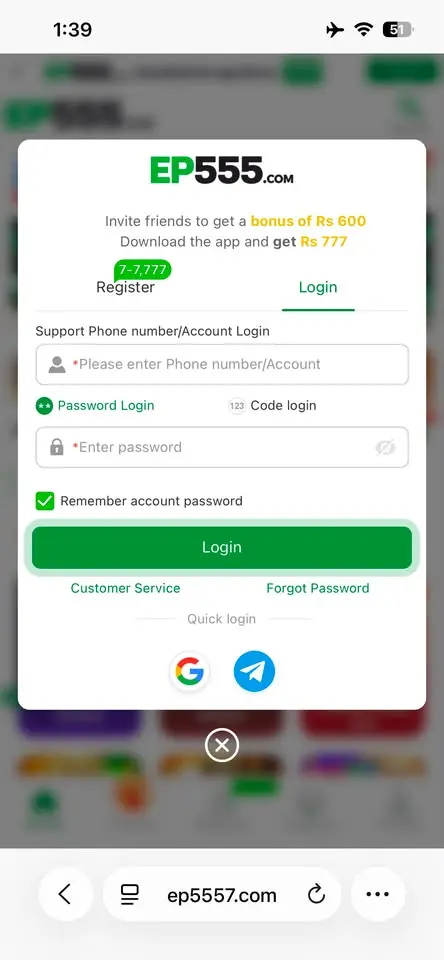
- Go to the official EP555 site using the link on our EP555 download page.
- Tap Register to create an account with your +92 number, Google or Telegram – or Login if you already have one. See our login & register guide.
- Play, deposit and withdraw in the browser just like in the app.
Add EP555 to Your iPhone Home Screen
- With the EP555 site open in Safari, tap the Share button (the square with an arrow).
- Scroll down and tap Add to Home Screen.
- Name it “EP555” and tap Add.
Now EP555 opens from your Home Screen with one tap.
Beware of Fake EP555 iOS Apps
- If someone sends you an “iOS version” that asks you to install a profile or trust an unknown developer in Settings, don’t do it. These can give strangers control of your phone.
- Don’t pay anyone for an iPhone version.
- Safari is the safe way to play on iPhone.
Tips for Playing on iPhone
- Deposits work the same way – approve payments in your own JazzCash or Easypaisa app. See our deposit guide.
- Set your 6-digit withdrawal password before your first cashout – see our withdrawal guide.
- If pages load slowly, close other tabs and switch between Wi-Fi and mobile data.
Related Guides
- EP555 customer service
- Is EP555 real or fake?
- EP555 login problem fixes
- Is the EP555 APK safe?
- EP555 Aviator guide
FAQs
Is EP555 on the App Store?
EP555 is offered as an Android APK. On iPhone, use Safari.
Can I use the same account on iPhone and Android?
Yes. Log in with the same account on any device.
Do I get the Rs 777 app bonus on iPhone?
The Rs 777 bonus is linked to installing the Android app. Check the promotions page in EP555 for offers available to you.
Play Responsibly
- EP555 is for adults aged 18 and over.
- Set a budget before you play and stop when you reach it.
- Never play with borrowed money or money meant for bills.
- Don’t chase losses. If it stops being fun, take a break and talk to someone you trust.
Disclosure: ep555apk.com is an independent guide and is not run by EP555. Some links on this site are referral links, which means we may earn a commission if you sign up. Bonus amounts, limits and rules can change – always check the latest details inside the app.