
Quick answer: The EP555 APK is safe to install when it comes from a trusted source, isn’t a “mod” or “hack” version, and doesn’t ask for permissions a game shouldn’t need. Use the 7 checks below before you tap Install. To get the file, see our EP555 APK download guide.
Why APK Safety Matters
The EP555 APK is not on Google Play, so Google isn’t checking the file for you. Fake copies of popular gaming apps are a common way to steal logins and wallet details. A minute of checking is worth it.
7 Checks Before You Install the EP555 APK
1. Download from one trusted source
Use the green Download APK button on our download page. Avoid APKs sent by strangers on WhatsApp, Telegram or Facebook groups.
2. Never install a “mod”, “hack” or “unlimited coins” version
Real-money games can’t be hacked for free balance. These files are made to steal accounts and money.
3. Check the app name and icon
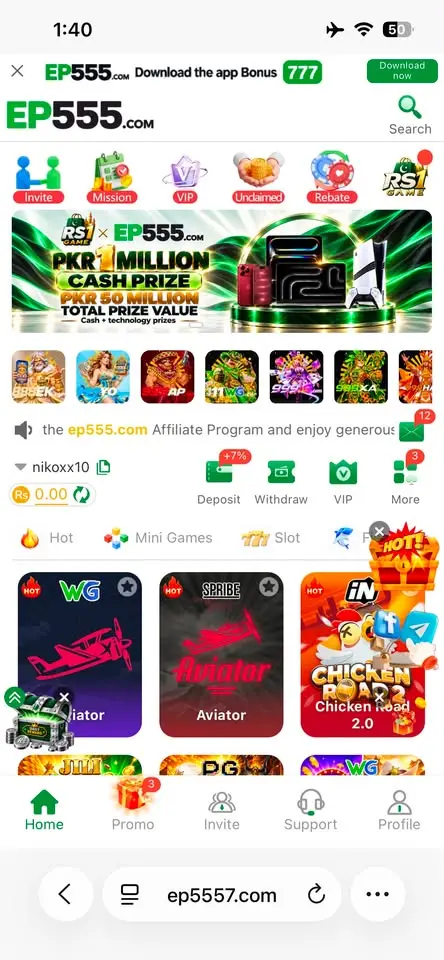
The real app is EP555 Game with the green EP555 icon. A different name or odd-looking icon is a red flag.
4. Read the Play Protect message
Play Protect may warn about any app from outside the Play Store. That alone doesn’t mean the file is harmful – but if it says the app is harmful or blocked, stop and delete the file.
5. Check permissions
A game shouldn’t need your SMS, contacts, call logs or Accessibility access. These can be used to read your JazzCash or Easypaisa OTPs. If an APK asks for them, don’t install it.
6. Never type your wallet PIN inside the game
EP555 sends you to your own wallet app to approve payments. Any screen inside a game asking for your wallet PIN is fake.
7. Scan the file if you’re unsure
Upload the APK to a free online scanner such as VirusTotal before installing. If several scanners flag it, delete it.
After You Install
- Go to Settings → Apps → Special app access → Install unknown apps and switch it off for your browser.
- Log in and set your 6-digit withdrawal password straight away.
- Keep Play Protect switched on.
Already Installed a Suspicious APK?
- Uninstall it immediately.
- Change your EP555 password and your wallet PIN.
- Check your JazzCash or Easypaisa history for payments you didn’t make, and call your wallet’s helpline if you see any.
- Install the genuine app from our download page.
Related Guides
- EP555 APK download & install
- EP555 withdrawal guide
- EP555 deposit guide
- Is EP555 real or fake?
- EP555 login problem fixes
- EP555 for iPhone (iOS)
- EP555 customer service
FAQs
Is it safe to allow “unknown apps”?
It’s fine for one trusted file. Turn it off again after installing.
Why does Play Protect warn about EP555?
Play Protect often warns about apps from outside the Play Store. Only continue if you downloaded from a trusted source.
Does the real EP555 APK need SMS permission?
A game shouldn’t need SMS access. Be very careful with any APK that asks for it.
Play Responsibly
- EP555 is for adults aged 18 and over.
- Set a budget before you play and stop when you reach it.
- Never play with borrowed money or money meant for bills.
- Don’t chase losses. If it stops being fun, take a break and talk to someone you trust.
Disclosure: ep555apk.com is an independent guide and is not run by EP555. Some links on this site are referral links, which means we may earn a commission if you sign up. Bonus amounts, limits and rules can change – always check the latest details inside the app.