
Quick answer: To deposit in EP555, open the app, tap Deposit, choose Online deposit, pick JazzCash, Easypaisa or Easypaisa QR, enter an amount between Rs 100 and Rs 50,000, and confirm the payment in your wallet app. Each wallet deposit currently adds a +2% extra bonus. In our experience deposits usually arrive in 1–2 minutes.
18+ only. EP555 is a real-money game. Only deposit money you can afford to lose. Bonus amounts and limits below were correct when this guide was updated – always check the latest figures inside the app before you pay.
EP555 Deposit Methods at a Glance
| Method | Limit per deposit | Extra bonus |
|---|---|---|
| JazzCash | Rs 100 – 50,000 | +2% |
| Easypaisa | Rs 100 – 50,000 | +2% |
| Easypaisa QR | Rs 100 – 50,000 | +2% |
| Crypto | Shown in the app | +7% |
Before You Deposit: 3 Checks
- Use the real app. Install EP555 only from our EP555 APK download page. Fake copies of betting apps are common and can steal your wallet details.
- Have an active account. If you are new, follow the EP555 login and register guide first.
- Use your own wallet. Pay from a JazzCash or Easypaisa account in your own name. The same account is normally used later for withdrawals, so mismatched names can cause delays.
How to Deposit in EP555 with JazzCash
- Open EP555 and log in.
- Tap Deposit.
- Choose Online deposit, then select JazzCash.
- Enter the amount (minimum Rs 100, maximum Rs 50,000) and tap confirm.
- You will be taken to the payment step. Enter your JazzCash mobile number if asked, then approve the payment in your JazzCash app or with your MPIN.
- Return to EP555 and check that your balance has updated.
How to Deposit in EP555 with Easypaisa
- Open EP555 and tap Deposit.
- Choose Online deposit, then select EasyPaisa.
- Enter your amount and confirm.
- Approve the request in your Easypaisa app or with your Easypaisa PIN.
- Go back to EP555 and confirm the money has arrived.
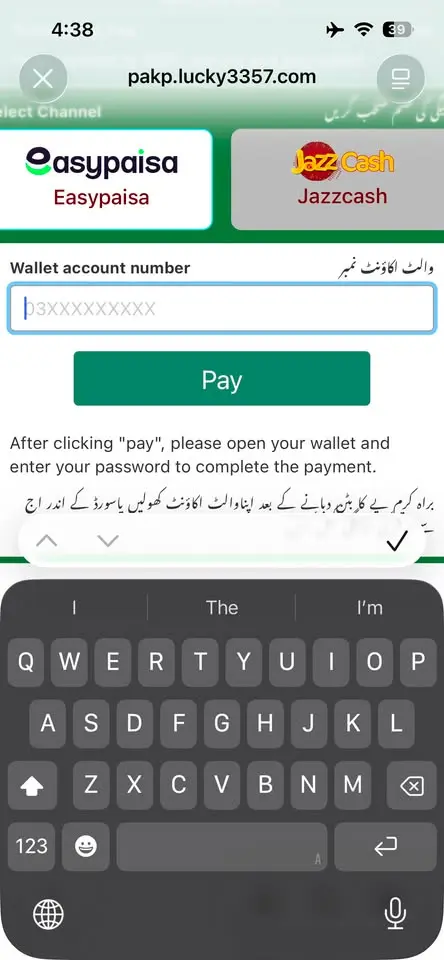
How to Deposit with Easypaisa QR
Easypaisa QR works well if you are depositing from a second phone or prefer scanning to typing numbers.
- Tap Deposit → Online deposit → Easypaisa QR and enter the amount.
- EP555 shows a QR code. Open the Easypaisa app and choose its scan option.
- Scan the code, check that the amount matches, and approve.
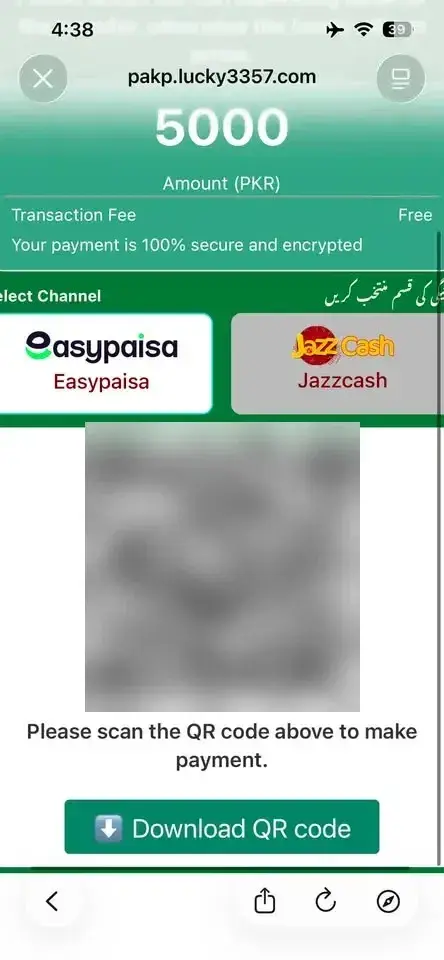
Tip: Take a screenshot of the QR payment receipt in your Easypaisa app. It is the fastest proof if support ever needs to trace a payment.
Which Bonuses Does a Deposit Unlock?
Every deposit automatically joins EP555’s deposit promotions. At the time of writing these were:
- Welcome Bonus: Rs 20 – 15,000 on your first deposit of Rs 100 or more.
- Daily Bonus: Rs 7 – 77,777 for a single deposit of Rs 100 or more.
- Daily Extra Bonus: Rs 7 – 777,777 when your total deposits reach Rs 1,000.
The ranges are wide, and most players receive amounts near the lower end. Read the bonus terms in the app, especially any turnover (wagering) rules, before you count on withdrawing bonus money.
How Long Does an EP555 Deposit Take?
In our testing, EP555 deposits usually show in your balance within 1–2 minutes. If yours hasn’t arrived after that, message Customer Service with your transaction ID and receipt screenshot – in our experience the deposit was added after contacting support.
Deposit Not Showing? What to Do
- Wait 1–2 minutes. That’s how long deposits usually take.
- Check your wallet app. If the money did not leave your JazzCash or Easypaisa account, the payment failed – simply try again.
- Do not pay twice for the same request. If money left your wallet but EP555 shows nothing, contact EP555 customer support with your transaction ID and screenshot instead of sending another payment.
- Check the amount. Deposits below Rs 100 or above Rs 50,000 will not go through.
Withdrawing Your Money Later
Withdrawals go back to a JazzCash or Easypaisa account. The first time, EP555 asks you to set a 6-digit withdrawal password – keep it private and never share it with anyone, including people claiming to be support. Full steps are in our EP555 withdrawal guide.
Play Responsibly
- Set a fixed monthly limit before you deposit, and stop when you reach it.
- Never borrow money or use money meant for bills to play.
- Do not chase losses with bigger deposits.
- If playing stops being fun, take a break and talk to someone you trust.
EP555 Deposit FAQs
What is the minimum deposit in EP555?
Rs 100 for JazzCash, Easypaisa and Easypaisa QR.
How long does an EP555 deposit take?
Usually 1–2 minutes. If it takes longer, contact Customer Service.
What is the maximum deposit?
Rs 50,000 per deposit for the wallet methods. The crypto limit is shown in the app.
Which deposit method gives the biggest extra bonus?
Crypto currently adds +7%, compared with +2% for the wallet methods.
Can I deposit from someone else’s JazzCash account?
It is better not to. Using your own account avoids problems when you withdraw.
Related Guides
- EP555 withdrawal guide
- Is the EP555 APK safe?
- Is EP555 real or fake?
- EP555 customer service
- EP555 Aviator guide
Disclosure: ep555apk.com is an independent guide and is not run by EP555. Some links on this site are referral links, which means we may earn a commission if you sign up. This does not change what you pay.
One Response